



Free Twitter video downloader for Chrome

X Video Downloader

Download X videos at the highest available quality.

Download videos as MP4, plus GIFs and photos, from the post on desktop Chrome or Edge. You can select 1080p when X supplies it for that video.

  • Free, no account, no watermark
  • Videos, GIFs and photos from X (Twitter)
  • Private and open source (MIT)
X Video Downloader: a Download 1080p button on a Twitter video post

At a glance

X Video Downloader in numbers

9 interface languages
English, Simplified Chinese, Traditional Chinese, Japanese, Korean, Spanish (Spain), Spanish (Latin America), Portuguese (Brazil) and Arabic. The interface follows your browser language.
6 quality choices
Highest, 1080p, 720p, 480p, 360p or Lowest. A chosen height uses the best version that does not exceed it.
Batch download
On a profile's Videos tab the page scrolls every 2-4 seconds, at most 3 downloads run at once, and one run collects up to 500 files. Run it again to resume where it stopped; files already downloaded are skipped.
Multi-image posts
Every picture is saved, numbered _1 to _4.
Free and open source
No X Premium, no account and no tracking. Released under the MIT license.

Features

Why use X Video Downloader

The fastest way to download X videos: no copying links, no pasting into websites, no ads and no X Premium subscription.

One click

Download Twitter videos right from the post

X Video Downloader puts its button in the post’s action bar, next to Bookmark and Share. One click downloads the X video as an MP4 — the same works for GIFs and photos.

  • Download X videos, GIFs and photos
  • Multi-photo posts saved as _1 to _4
  • Works on timelines, profiles, search, bookmarks and lists
X Video Downloader button in the action bar of a Twitter post

Video quality

Choose the available video quality

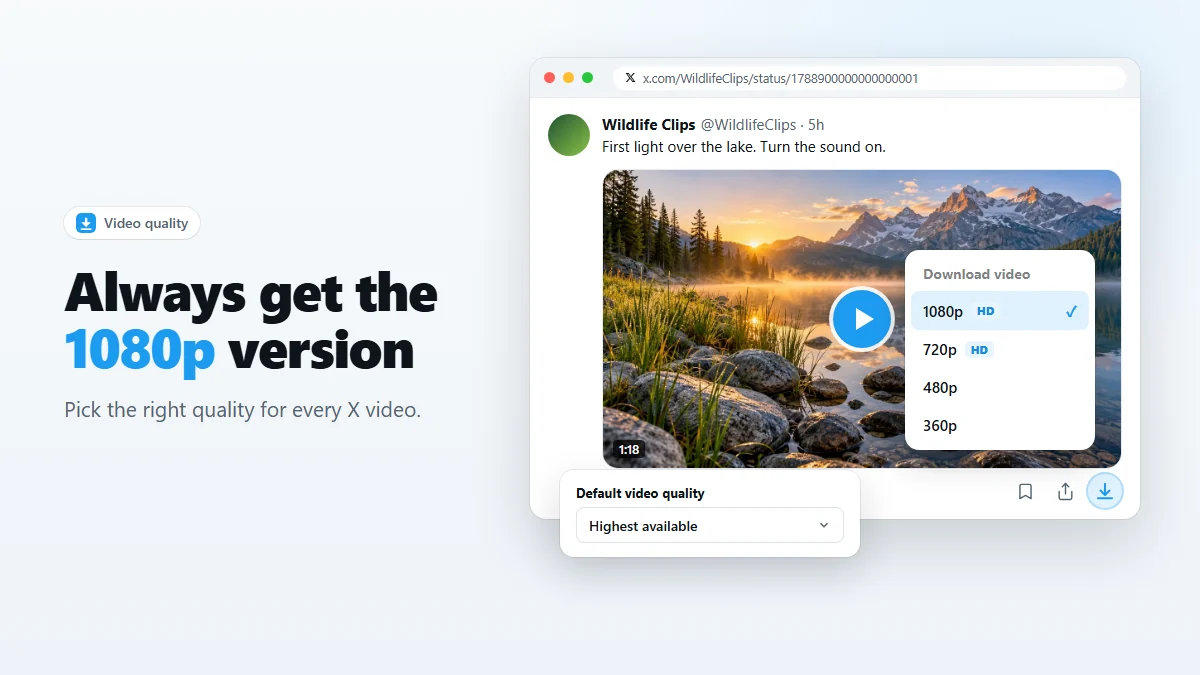
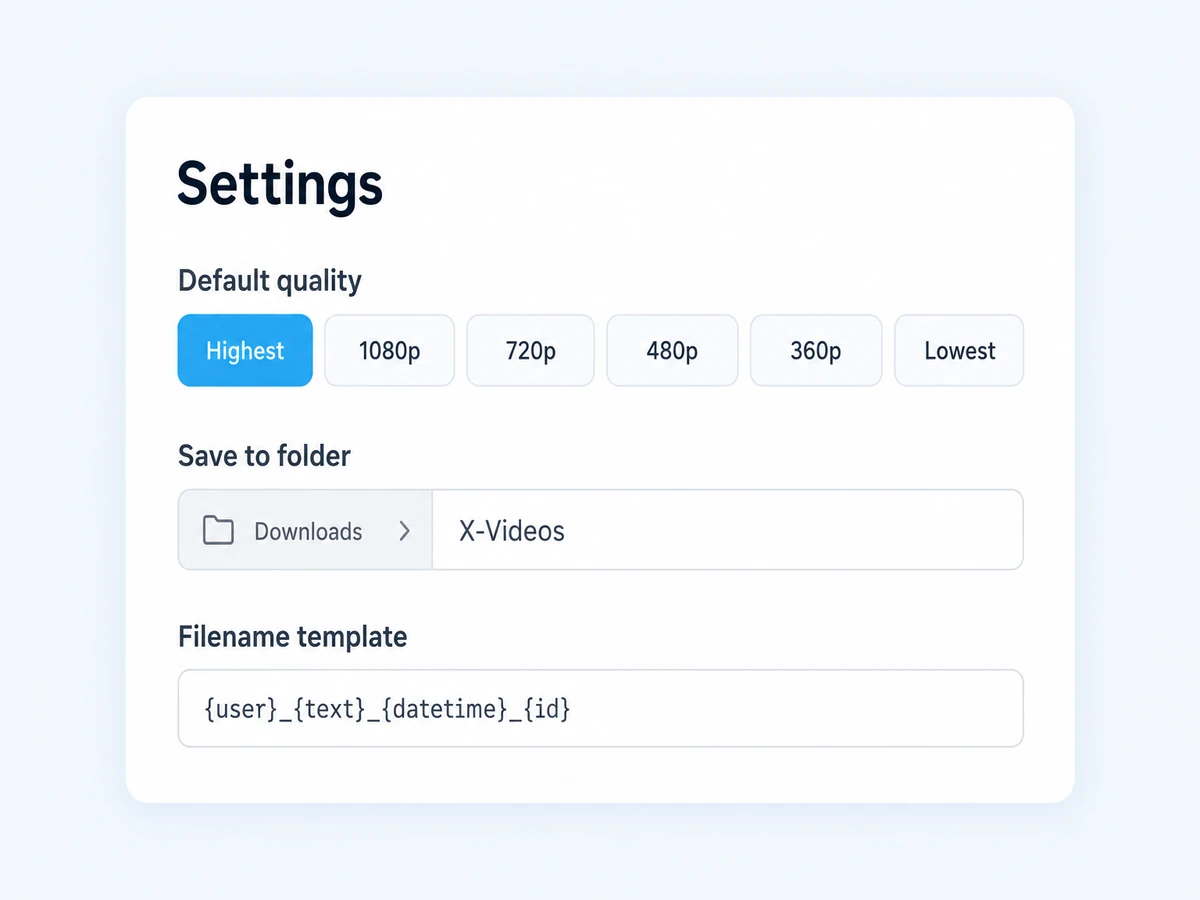
By default the extension saves the highest quality X offers. A target such as 1080p uses the best version at or below that target, or the smallest available version if none fit.

  • Highest, 1080p, 720p, 480p, 360p or Lowest
  • Alt-click to choose a quality for a single video
  • Custom folder and collision-proof filenames
X Video Downloader settings: default video quality, folder and filename

History

A Twitter video downloader with a searchable history

Every video you download is logged with a thumbnail, account, quality and size. Search it by @user or keyword, re-download in one click, or export the list as JSON.

  • Thumbnails and details for each download
  • Search, re-download and show in folder
  • Export and import as JSON
X Video Downloader history of downloaded Twitter videos with search

About

What is X Video Downloader?

X Video Downloader is a free browser extension for Chrome and Edge that lets you download videos from X, formerly Twitter. Most online Twitter video downloaders make you copy a post link, paste it into a website full of ads and wait for a file. X Video Downloader skips all of that: the download button is already on the post, and the MP4 goes straight into your Downloads folder.

It is also an X media downloader for everything else in a post. As a Twitter GIF downloader it saves animated GIFs as small, full-color MP4 loops; for photos it fetches the original resolution instead of the compressed preview. Whether you want to download X videos for offline viewing, keep a tutorial, or archive posts before they disappear, it takes one click.

Unlike web-based Twitter video download sites, X Video Downloader never sees your links: it runs locally, needs no account and adds no watermark. Read our guide on how to download Twitter videos or how to download X videos in 1080p.

Privacy

A private X video downloader

No account, no servers, no analytics, no tracking. Every X video download is processed locally in your browser.

Local only

Downloads and history stay on your device. Nothing is uploaded to us.

No sign-in

There is no account to create and no personal data to hand over.

Open source

Released under the MIT license, so you can see what it does.

Only save media you are allowed to keep. See X's Terms of Service, the Chrome Web Store Program Policies and the MIT License.

How it works

How to download X (Twitter) videos in 3 steps

Install X Video Downloader

Add it to Chrome or Edge from the Chrome Web Store. It’s free.

Open a post on X

Browse as usual. A download button appears on every post with a video, GIF or photo.

Click to download

Click the download icon to save the video as MP4 in Downloads. The quality depends on the versions available from X.

Batch download runs on a profile’s Videos tab and collects up to 500 files per run. Failed files are retried up to twice. If X rate-limits the batch, resume it manually.

Video quality and 1080p

FAQ

X Video Downloader FAQ

What is X Video Downloader?

X Video Downloader is a free Chrome extension that adds a download button to posts on X (Twitter). One click saves the video as an MP4 in the best quality available, and it also downloads GIFs and photos.

Is X Video Downloader free?

Yes. It is completely free, with no account, no download limits and no watermark on your videos.

Do I need X Premium to download videos?

No. X only offers its own video download to Premium subscribers, but X Video Downloader works with any X account, free or paid. If a video plays for you on x.com, you can save it, in 1080p when X has that version.

How do I download Twitter videos with X Video Downloader?

Install X Video Downloader from the Chrome Web Store, open a post on x.com, and click the download icon next to Bookmark and Share. The Twitter video is saved to your Downloads folder as an MP4.

Can I download X videos in 1080p?

1080p is available only when X offers that version. Alt-click to choose from the available qualities.

Does it work as a Twitter GIF downloader and photo downloader too?

Yes. GIFs are saved as MP4 files (that is how X stores them) and photos are saved at original resolution. Every image in a multi-photo post is downloaded as its own numbered file.

Where does X Video Downloader save my files?

In your browser’s Downloads folder, inside a sub-folder you choose. Files are named {user}_{text}_{datetime}_{id} so every download is easy to find and never overwritten.

Is this Twitter video downloader safe and private?

Yes. It runs entirely in your browser: no servers, no analytics and no tracking. It is open source under the MIT license, so you can check what it does.

Which browsers does X Video Downloader support?

Google Chrome and Microsoft Edge version 116 or newer, and other Chromium-based browsers such as Brave and Opera. Mobile browsers do not support extensions.

Guides

Twitter video download guides

All guides

Get X Video Downloader free

Install it and download your first Twitter video in seconds.

Add to Chrome — it’s free